
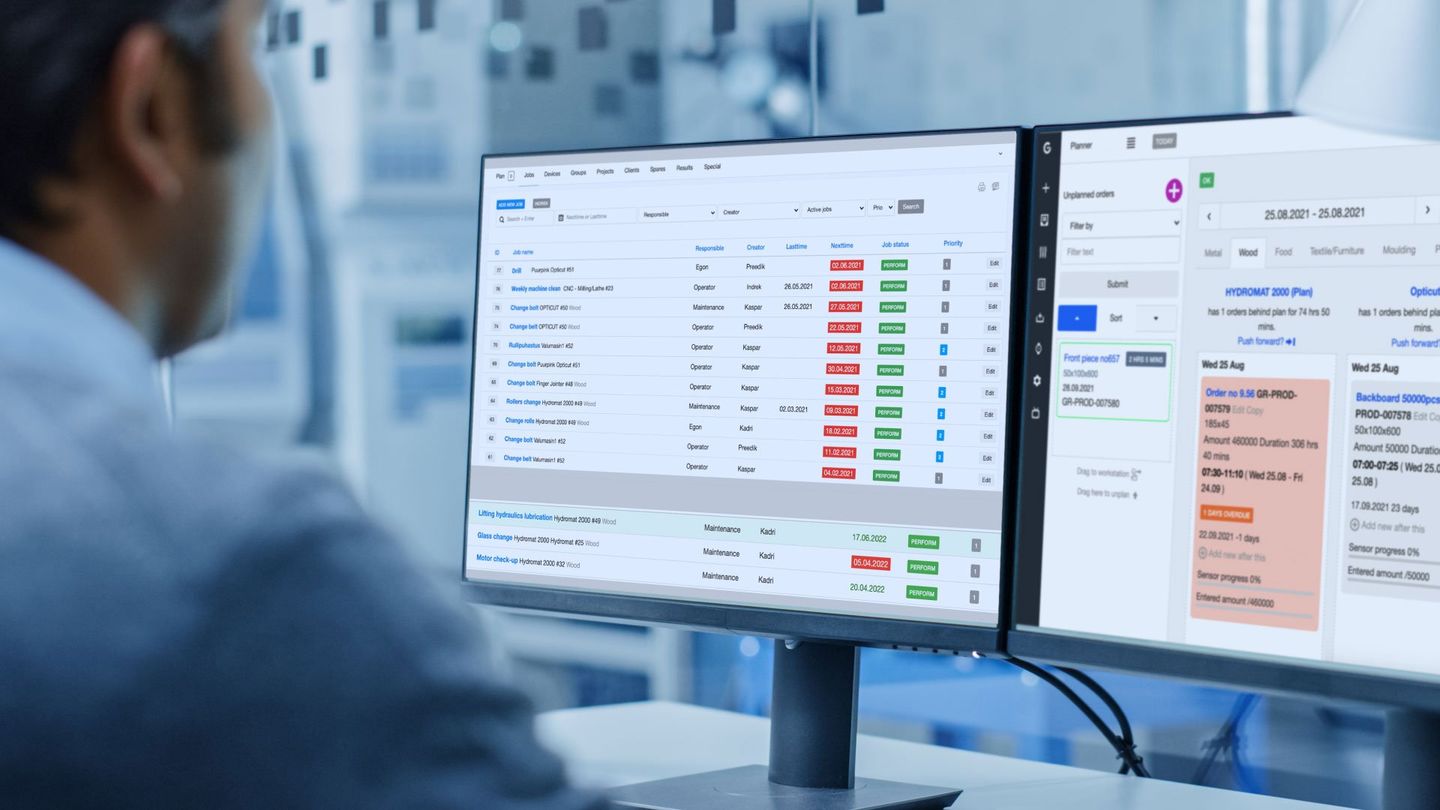
Maintenance Proactive Factory approach
Streamline your maintenance tasks and proactively manage your machinery for peak performance. With our user-friendly system, you can schedule, monitor, and optimise technical work efficiently, keeping your factory running smoothly.
Where Proactive Meets Productive
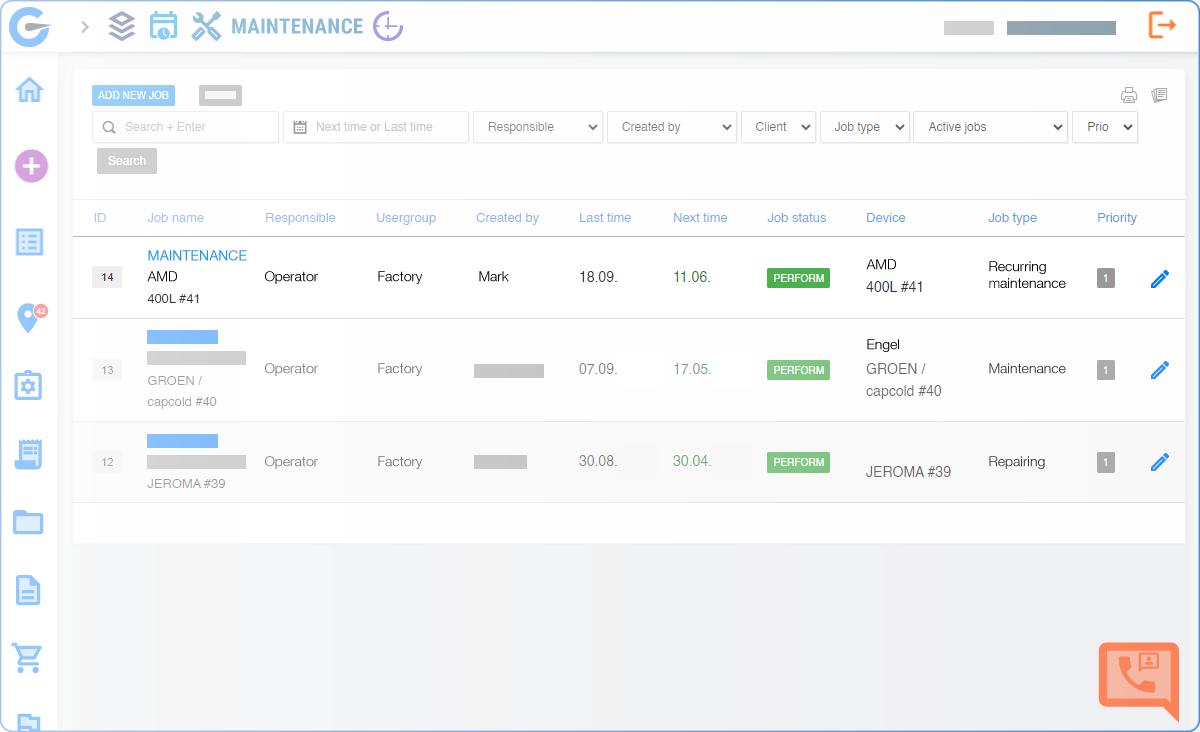
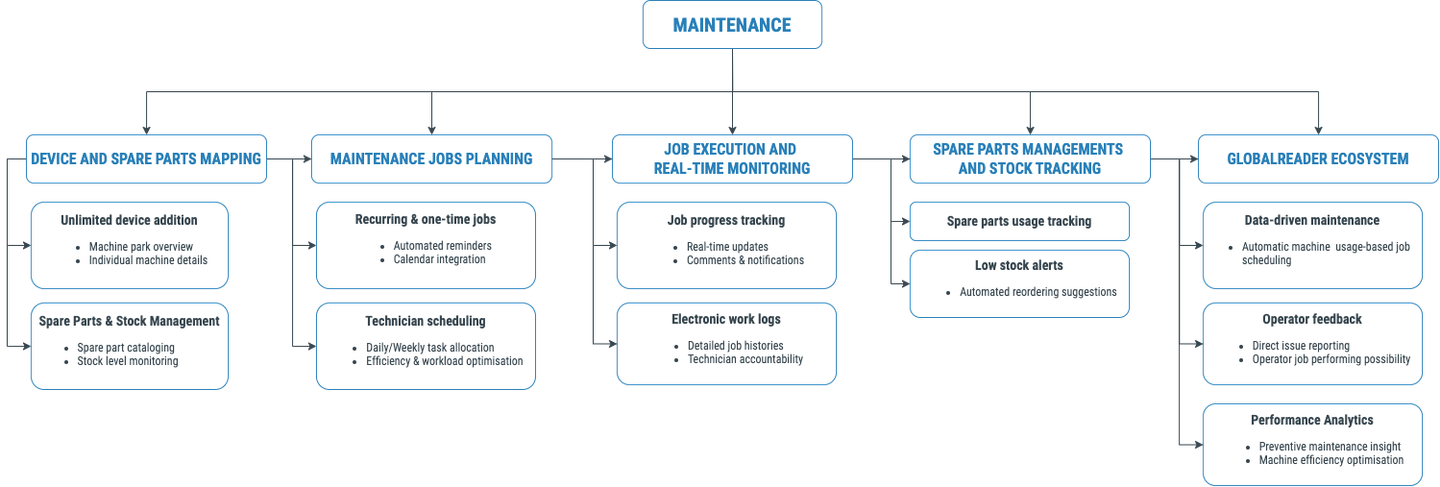
Maintenance is the ultimate tool for easy scheduling and real-time monitoring of technical tasks across workstations. It's designed to maintain peak machine efficiency, replacing reactive troubleshooting with smart planning. With this feature, your technical team can add unlimited devices and tasks, optimize schedules, track spare parts, and maintain a detailed electronic work log.
Effortless Maintenance for Technicians
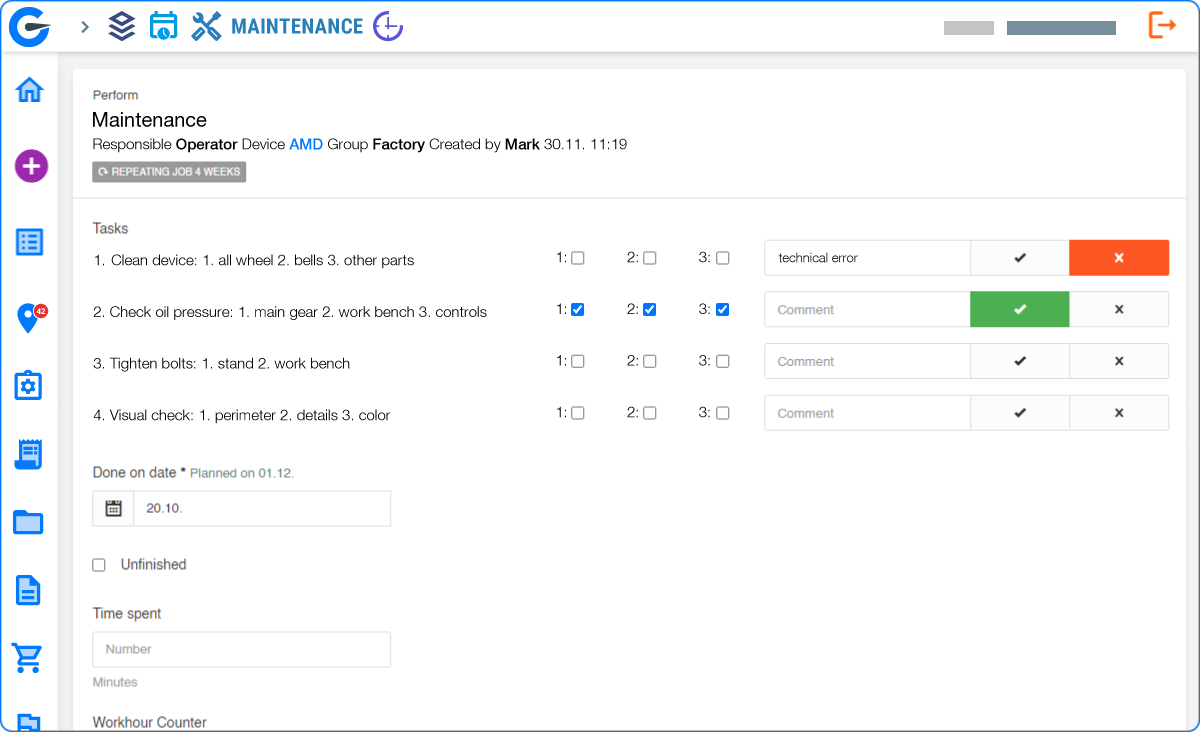
Technicians can easily access and follow their daily and weekly schedules within the Maintenance feature. With straightforward day plans and notifications to keep everyone informed, your team can efficiently manage their time, reducing the risk of missed maintenance tasks. GlobalReader provides a real-time overview of job progress, offering technicians a one-stop environment to add, edit, and share information related to workstations. This streamlined approach minimizes confusion and enhances coordination.

Streamlined Device Management
Easily add and manage all machines within a single, user-friendly system. GlobalReader Maintenance allows manufacturers to centralise device data, making it easier to track and plan maintenance tasks. This streamlined device management simplifies operations and reduces the risk of oversight.

Efficient Scheduling
Optimise technician workloads and schedules for maximum productivity. Maintenance enables manufacturers to allocate tasks efficiently, reducing idle time and ensuring that technicians are always working on critical maintenance jobs. This optimisation leads to enhanced resource utilisation and cost savings.

Comprehensive Spare Parts Management
Manufacturers can effectively manage spare parts inventory and usage. Maintenance allows manufacturers to track spare parts consumption for each maintenance task. It provides insights into which parts are used, ensuring that stocks are replenished promptly, avoiding costly delays due to parts shortages.
Maintenance Overview

Smart Maintenance In Depth
We inspire industry leaders to collect data around their production resources to increase efficiency, collaboration, and to keep them ahead of their competitors!

Retrofit Hardware to any machine for data collection. Standard measurements:
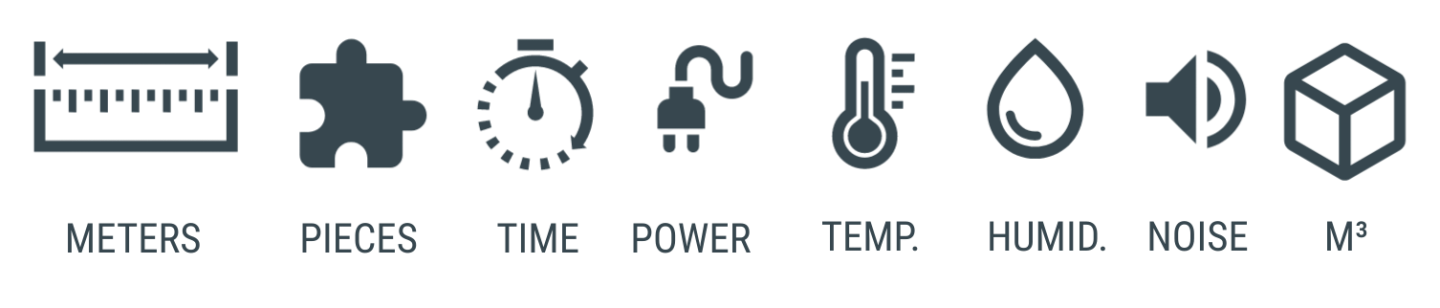
- 3 data collection ports
- M12 connectors enable analog and digital readings
- Connected to cloud over WiFi, LTE or ETH
- Standard RS port for machine controller connection
- Data in 10 second intervals every 30 seconds sent to cloud
- Backup data for 30 days (if connection lost)
- DIY set-up
Anything else, just ask!

Complete Production Machines and Spare Parts Mapping
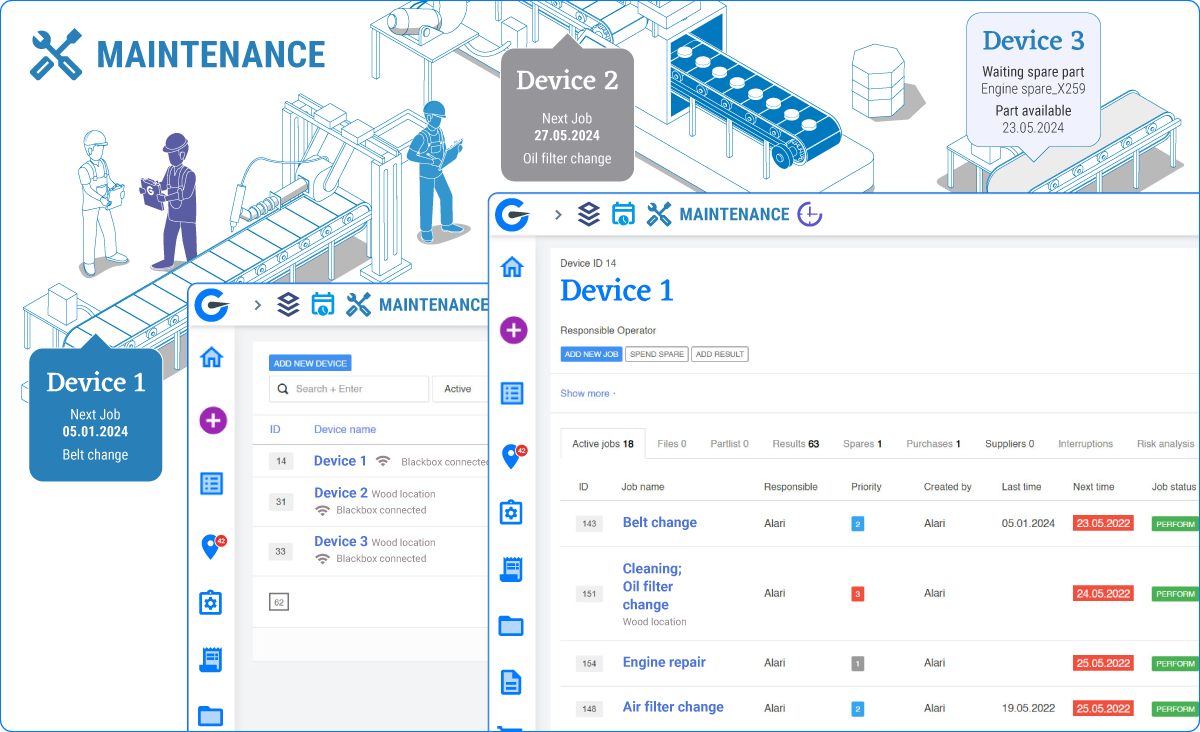

Visualise your entire machine park and spare parts inventory

Ensure timely maintenance and reduce unexpected downtime

Access detailed machine histories and maintenance manual
Proactive Maintenance Planning
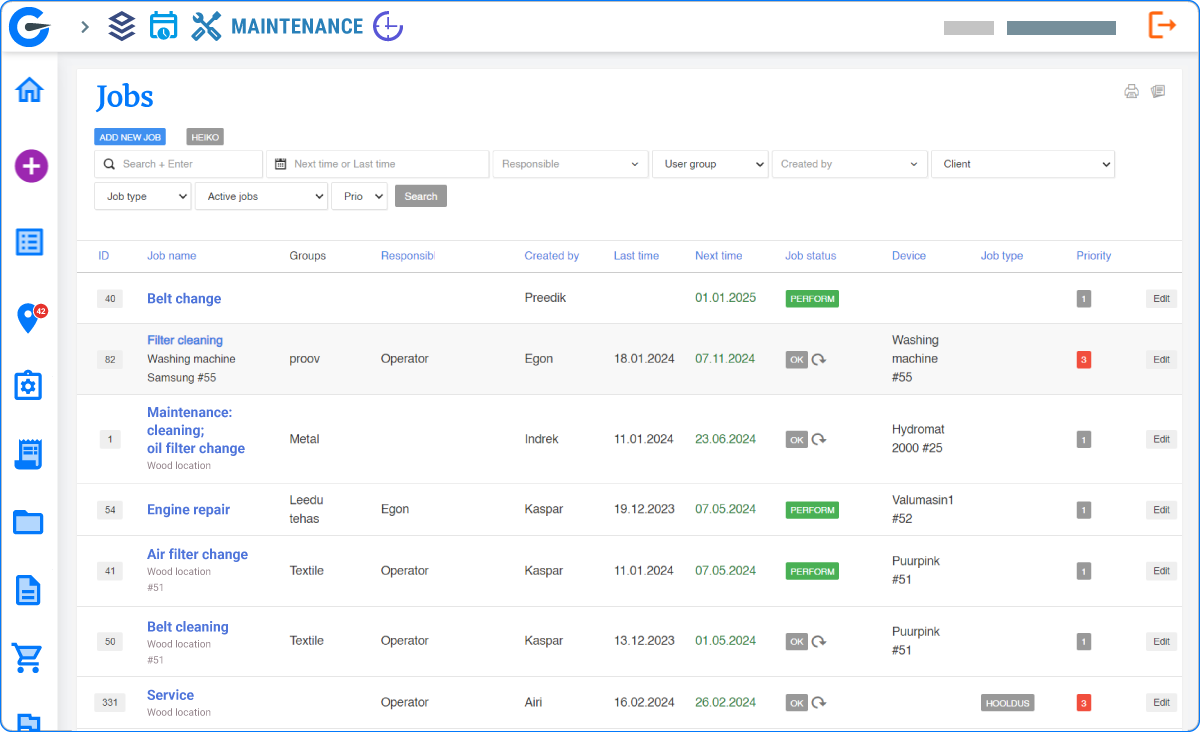

Schedule maintenance tasks based on real-time data insights

Ensure timely maintenance and reduce unexpected downtime

Access detailed machine histories and maintenance manual
Easy Job Execution
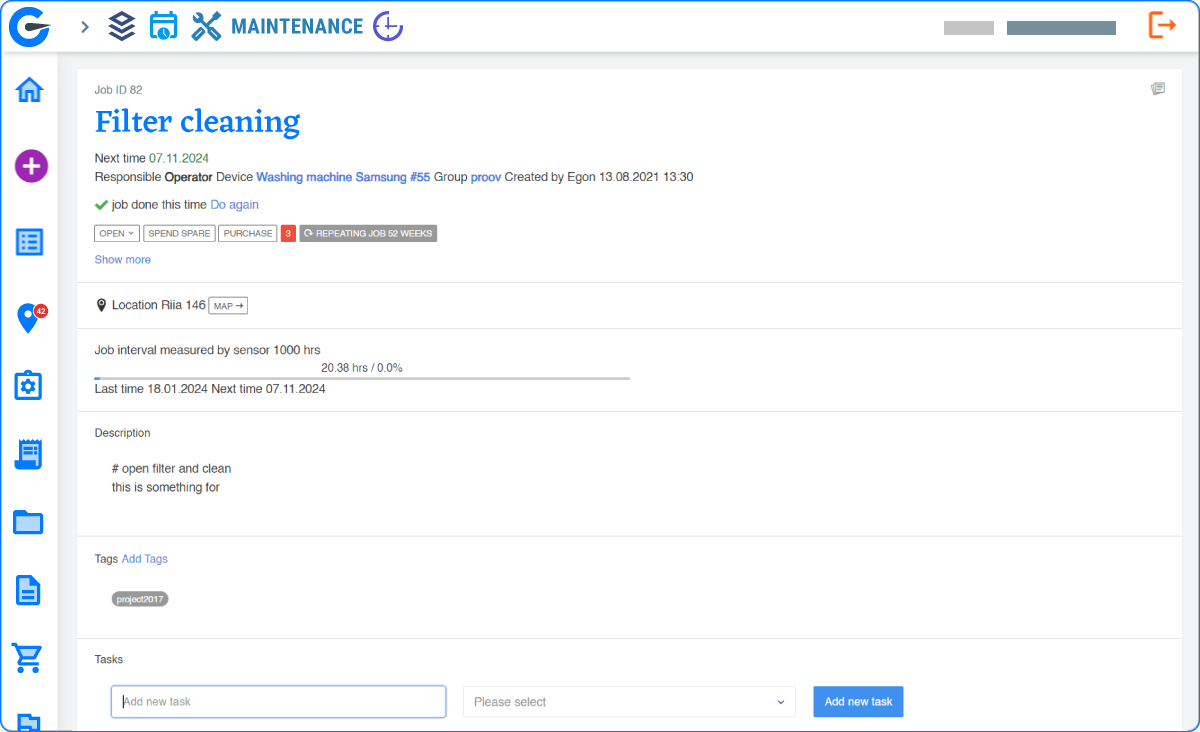

Streamline maintenance tasks with clear, step-by-step instructions

Track job status in real-time for immediate visibility

Improve team efficiency with organised, accessible job information.
Spare Parts Management
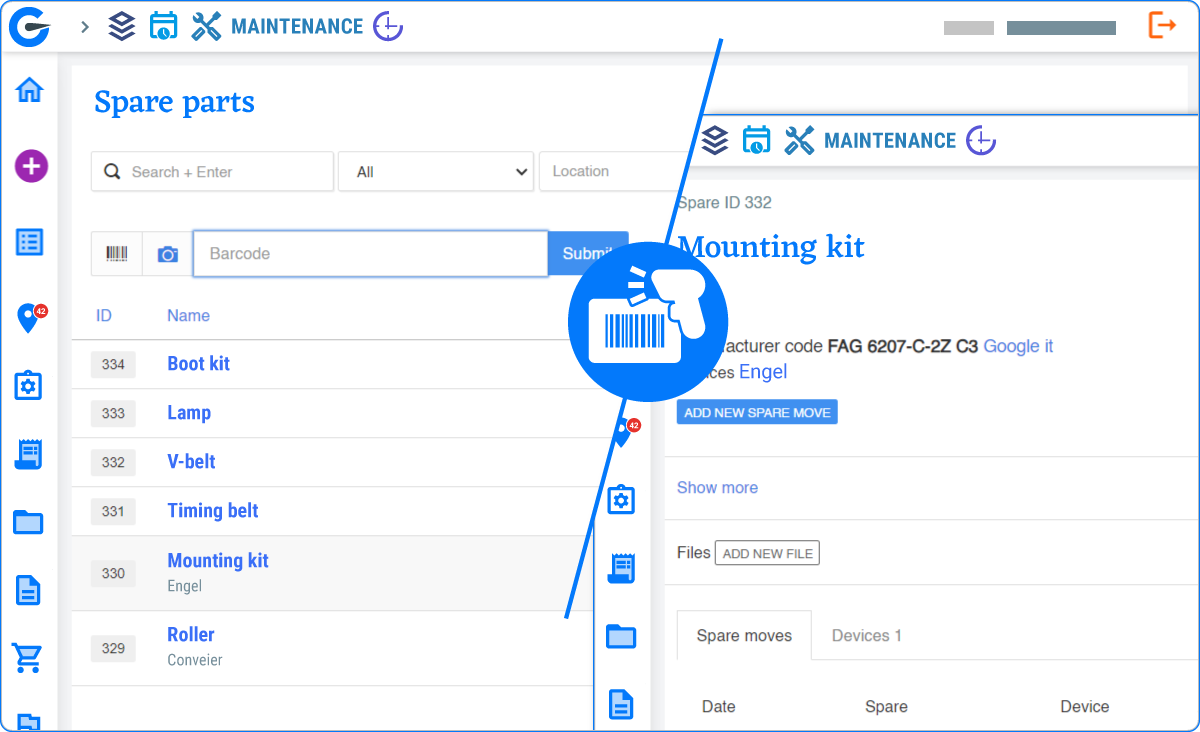

Monitor spare parts inventory levels in real-time

Automate reorder alerts to prevent stockouts

Link spare parts directly to specific machines and maintenance tasks
Reporting and Analytics
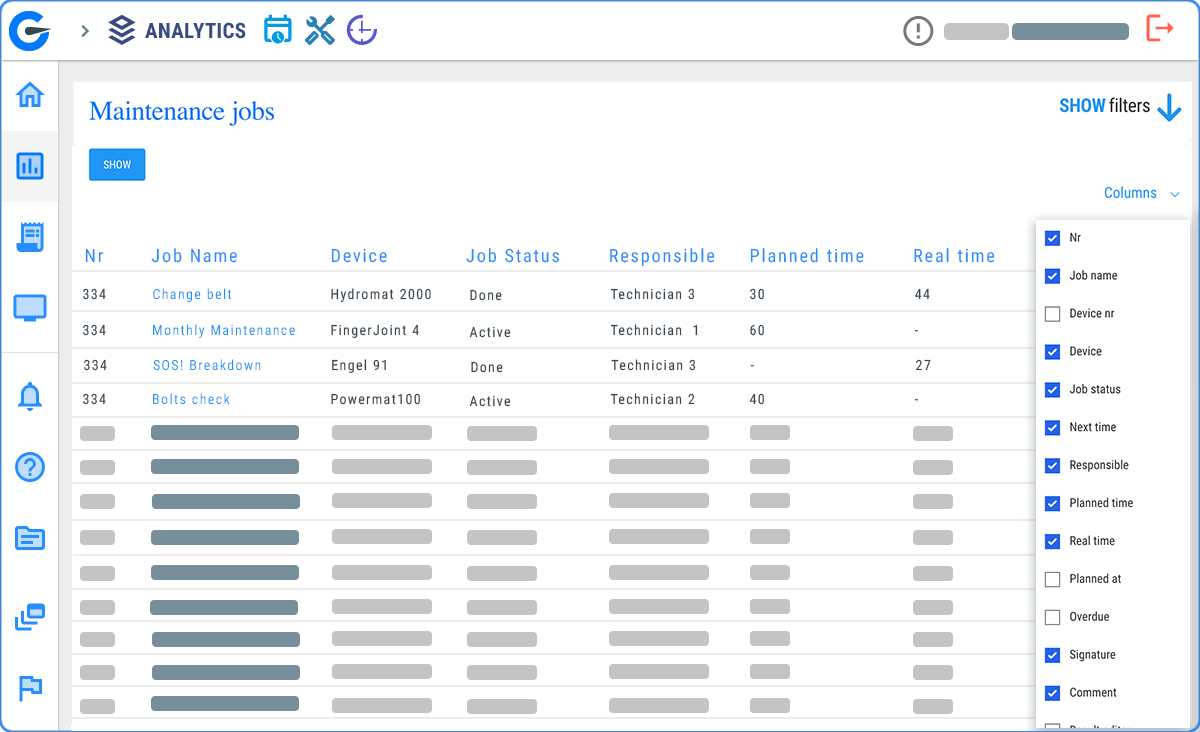

Gain insights from all-inclusice Maintenance Jobs report

Use data to continuously improve maintenance strategies and machine performance

Boost efficiency by using Factory Maintenance alongside other features

Complete Process Control
Analytics
Complete control over manufacturing processes. From detecting potential issues with Analytics to taking proactive measures with Maintenance, entire production cycle becomes more efficient and reliable.

Downtime Reduction
Operator
If a technical downtime is detected, technicians are instantly aware. Maintenance feature allows the technical team to address these issues within minutes, further reducing disruptions and downtime.
Common Queries
Can I add all my devices and maintenance tasks to the system?
Yes, GlobalReader Maintenance allows you to add an unlimited number of devices and maintenance tasks, ensuring comprehensive coverage.
How does Maintenance help with technician scheduling?
The Maintenance feature provides tools to optimise technician schedules, reducing idle time and maximising productivity.
What's the benefit of proactively planning maintenance tasks?
Proactive maintenance planning helps reduce unplanned downtime and extend equipment lifespan, ultimately maximising production efficiency and minimising disruptions.
How does Maintenance help with spare parts management?
GlobalReader Maintenance enables effective spare parts management by tracking usage and ensuring prompt replenishment to prevent delays due to parts shortages.